
What Is Spectrum Entertainment View? Price, Channels & Plans

What is Spectrum Entertainment View? It is a $15 per month TV add-on that adds 70+ channels to an eligible Spectrum TV plan.
Spectrum Entertainment View is not a standalone package, and it is not a streaming subscription by itself, per Spectrum’s official page.
The add-on is exclusive to Spectrum TV customers, so a viewer needs an eligible base TV plan before Entertainment View can be added.
Every price and every channel count on this page was checked on November 17, 2026, against Spectrum’s official page, CTVForMe, ClubHDTV, Evoca, TheChannelList, GlossyPurifier, and AskFelix.
Spectrum’s own page uses two names for this add-on, Entertainment View and Entertainment Pack, and the two names carry different eligibility lists.
Most guides repeat one price, one channel count, or one eligibility list as if it were the only truth, and this page keeps every conflict by source instead.
Readers will learn the definition, the price, the channels, the eligible plans, the naming confusion, and how to add or remove the add-on.
The Short Answer: A $15 Add-On, Not a Standalone Package
Definition: Entertainment View is a TV add-on package that offers 70+ additional channels to a Spectrum TV plan for $15 per month.
All channels can be viewed live or On Demand at any time from any connected device, per Spectrum’s official page, read directly on November 17, 2026.
The add-on covers sports, family, and lifestyle content, per ClubHDTV, with NFL Network, MLB Network, NBA TV, Cooking Channel, Nick Jr, Discovery Family, and Lifetime Movie Network named by Spectrum.
Entertainment View is an add-on, which means it sits on top of a base Spectrum TV plan and cannot be bought on its own.
GlossyPurifier, which checked Spectrum’s page on October 16, 2026, states plainly that Entertainment View is not a standalone streaming subscription.
Treat the offer as an add-on to the relevant Spectrum television arrangement, per GlossyPurifier, and do not assume it works without a base plan.
The Quick Answer Box
What is it? A $15 per month TV add-on with 70+ additional channels, per Spectrum’s official page.
Is it standalone? No, it needs an eligible Spectrum TV plan, and it is exclusive to Spectrum TV customers.
What is the Plus upgrade? Entertainment View + costs $25 per month and adds HBO Max and Paramount+ with Showtime.
Which plans qualify? TV Select Plans and Mi Plan Latino for Entertainment View, per Spectrum’s View FAQ, with TV Stream excluded.
What is the catch? Spectrum uses two names with different eligibility, and channel availability varies by location and service address.
The Plus Upgrade at $25 Per Month
Entertainment Pack + delivers even more at a great price, taking all the Entertainment Pack channels along with HBO Max, including HBO channels, for $25 per month, per Spectrum.
ClubHDTV confirms the $25 figure and adds Paramount+ with Showtime to the Plus bundle, alongside HBO Max with Showtime.
TheChannelList, updated November 13, 2026, lists Entertainment Pack + at $25 per month with every Entertainment Pack channel plus HBO Max and Paramount+ with Showtime.
The Plus upgrade is the only route to HBO Max and Paramount+ with Showtime through this add-on, because the $15 tier includes neither.
A viewer who wants only HBO Max or only Paramount+ with Showtime should compare the premium channel packs, which cost $9 to $16 per month each, per CTVForMe.
ClubHDTV says premium channels cost $5 per month, which conflicts with CTVForMe’s $9 to $16 range, and the conflict stays by source, never merged.
Entertainment View vs Entertainment Pack: The Two Names
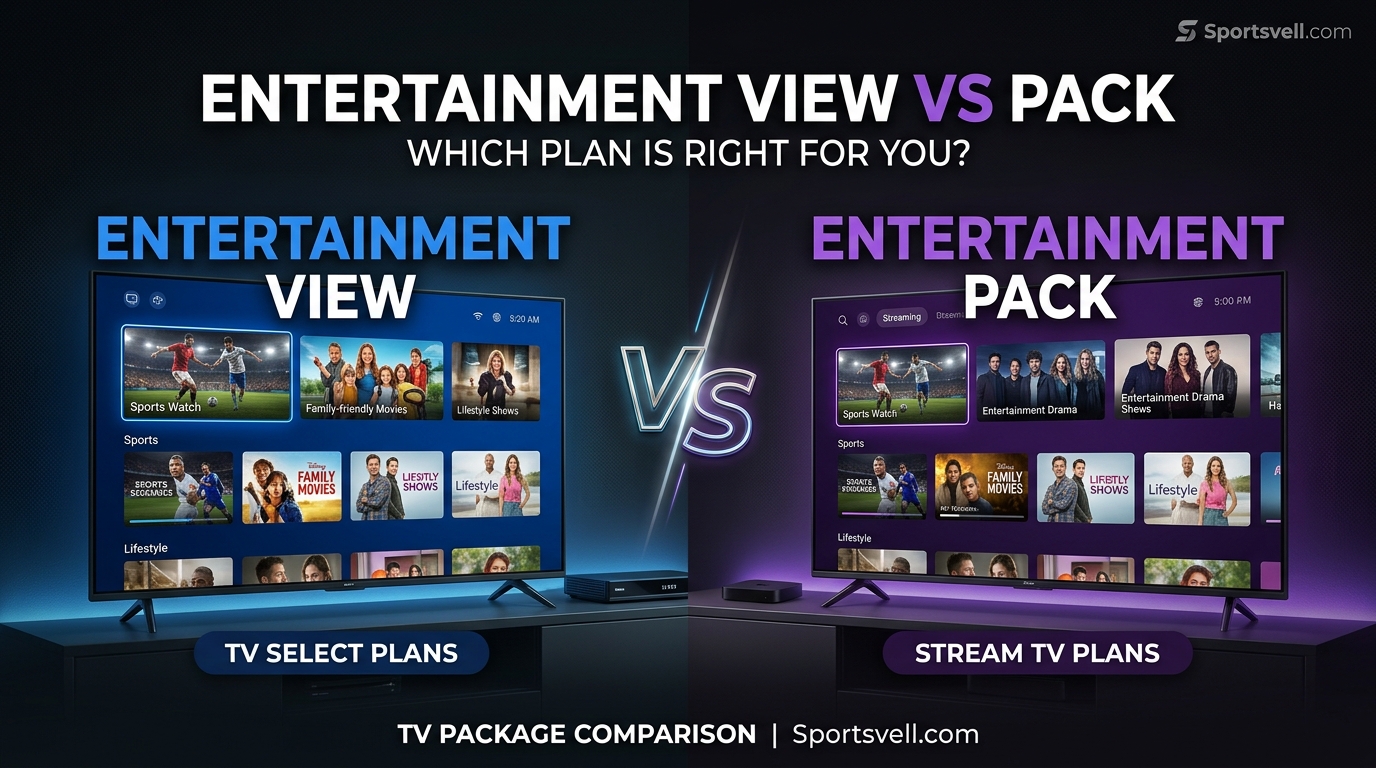
Spectrum’s official Entertainment View page carries two FAQ blocks, one for Entertainment Pack and one for Entertainment View, and both were read directly on November 17, 2026.
The page title says “Spectrum Entertainment View,” but the hero section says “ENTERTAINMENT PACK,” and the first FAQ block answers “What is Entertainment Pack?”
The second FAQ block answers “What is Entertainment View?” with nearly identical wording, the same $15 price, and the same 70+ channel count.
Both blocks agree on the price and the count, but they disagree on which plans are eligible, and that disagreement is the heart of the confusion.
GlossyPurifier noticed the same pattern on October 16, 2026, writing that the page checked that day also uses Entertainment Pack in its frequently asked questions.
If a reader sees Entertainment View on a bill or a search result, GlossyPurifier advises confirming the exact package attached to the account before assuming an older description applies.
What Spectrum’s Own Page Says
Spectrum’s hero section reads: “Get 70+ Channels Across Premium Networks,” followed by “Add Entertainment Pack to your Spectrum TV package for $15/mo.”
The hero continues: “Or upgrade to Entertainment Pack +” and enjoy HBO Max and Paramount+ with Showtime for $25 per month, per Spectrum.
The next section, “Stay Entertained at an Amazing Price,” promises access to 70+ favorite channels anytime, anywhere, with shows, movies, and sports action.
Spectrum names NFL Network, MLB Network, NBA TV, COOKING Channel, Nick Jr, Discovery Family, and Lifetime Movie Network in that section, with “and more” after them.
The page then shows featured networks with their shows, a Spectrum TV app section, and the two FAQ blocks, one for each name.
The Two FAQ Blocks, Side by Side
| Detail | Entertainment Pack FAQ | Entertainment View FAQ |
|---|---|---|
| Question asked | What is Entertainment Pack? | What is Entertainment View? |
| Definition | TV add-on, 70+ additional channels, $15/mo | TV add-on, 70+ additional channels, $15/mo |
| Viewing | Live or On Demand, any connected device | Live or On Demand, any connected device |
| Plus upgrade | Entertainment Pack + at $25, with HBO Max | Entertainment + at $25, with HBO Max |
| Eligible plans | Spectrum Stream TV Plans and Stream TV Latino Mas | Spectrum TV Select Plans and Mi Plan Latino |
| Excluded plan | TV Lite | TV Stream |
| Lineup filter | Select “Entertainment Pack” in Channels By Package | Select “Entertainment View” in Channels By Package |
| Availability note | Availability varies by location | Availability varies by location |
The table above quotes both FAQ blocks from Spectrum’s official page, read directly on November 17, 2026, with no wording changed.
The two blocks are identical on price, count, viewing, and the Plus upgrade, and they differ only on the eligible plans and the excluded plan.
A reader on a TV Select plan should look for Entertainment View, while a reader on a Stream TV plan should look for Entertainment Pack, per Spectrum’s own text.
That split is the simplest explanation of the two names, and it comes from Spectrum’s page itself, not from a third-party guess.
But the split is not proven beyond the FAQ text, because Spectrum does not explain on the page why two names exist, and this page does not invent a reason.
Which Name Is on Your Bill?
Start with the bill, not the advertised channel count, per GlossyPurifier, because the account offer, the service address, and the current lineup matter more than a package name in an old advertisement.
Open the most recent statement and locate the television services section, then record the exact label printed beside the add-on charge, per GlossyPurifier.
If support confirms that the bill’s wording refers to the current package, keep that confirmation with the date, per GlossyPurifier.
If the wording does not match, ask which plan or legacy arrangement is on the account rather than guessing, per GlossyPurifier.
The practical issue is identifying which extra channels are being paid for and whether the main television plan is eligible, per GlossyPurifier.
Before changing anything, record the label on the actual account and the channels wanted, per GlossyPurifier, because a lineup screenshot from another household may be the wrong comparison.
Price: $15, $12, $8, and $59.99, Labelled by Source
Four different prices appear in search results for Entertainment View, and only one of them is Spectrum’s current official price.
The table below lists every price found, with its source and its date, and flags the figures that are stale or wrong.
Price Conflict Table
| Price | Channel count paired with it | Source | Date | Status |
|---|---|---|---|---|
| $15/mo | 70+ | Spectrum official page | Read Nov 17, 2026 | Current, official |
| $15/mo | 70+ | Evoca | Undated, crawled 74 days ago | Agrees with Spectrum |
| $15/mo | 70+ | CTVForMe | Nov 14, 2026 | Agrees with Spectrum |
| $15/mo | 70+ | ClubHDTV | Mar 18, 2026 | Agrees with Spectrum |
| $15 | 84 | JeopardyLabs Spectrum training | Undated | Price agrees, count differs |
| $12/mo | 80+ | APsense | Undated | Stale, older price |
| $12/mo | 80+ | OnlineLike | Jan 15, 2024 | Stale, older price |
| $12/mo | Not stated | Weebly reviews | Undated | Stale, older price |
| $8/mo | Not stated | TableTwolf Weebly | Undated | Single source, stale |
| $59.99/mo | 70+ | Soft4Led | Undated | Wrong framing, standalone |
| $25/mo | 70+ plus HBO Max and Paramount+ with Showtime | Spectrum, ClubHDTV, TheChannelList | Nov 2026 | Current, Plus upgrade |
The price table is the core accuracy section of this page, because a reader who trusts the wrong figure will budget wrong or argue with Spectrum about a price that never applied.
The Current Price: $15 Per Month
Spectrum’s official page states the price three times, once in the hero and once in each FAQ block, and all three statements say $15 per month.
Evoca lists Entertainment View as an add-on at $15 per month with over 70 additional channels, including MTV Classic, Cooking Channel, and DIY Network.
CTVForMe, published November 14, 2026, the freshest guide found, states the price as $15 per month for more than 70 channels, in a table and in the text.
ClubHDTV, published March 18, 2026, calls it an add-on plan offering more than 70 additional channels at $15 per month, concentrating on sports, family, and lifestyle content.
JeopardyLabs, a Spectrum training game, asks “Entertainment View provides 84 channels all for this price” and answers “What is $15?”
Five sources agree on $15, including Spectrum itself, and that agreement is why $15 is the price this page leads with.
The Old Prices: $12 and $8
APsense lists Entertainment View at $12 per month for 80+ channels, in a premium channel packages section, with no date on the page.
OnlineLike, published January 15, 2024, says the entertainment view package costs $12 per month and includes 80+ channels, including the Cooking Channel, NFL, and OWN.
Two Weebly reviews, both undated, say the Entertainment View add-on costs $12 extra each month, in reviews of Spectrum TV Choice.
TableTwolf Weebly, also undated, says the Entertainment add-on costs $8 per month for Discovery Channels, MTV Classic, Crime+Investigation, and BET Her.
The $12 and $8 figures are older prices, paired with older channel counts and older plan names, and they must never be printed as current.
A reader who sees $12 in an old review should treat it as a snapshot of an earlier price, not as a price Spectrum charges today.
The Wrong Price: $59.99
Soft4Led lists the Entertainment View Package at $59.99 per month, presenting it as a standalone package for cord-cutters who want essential entertainment without a full cable package.
That framing is wrong, because Spectrum’s official page prices Entertainment View at $15 per month as an add-on, exclusive to Spectrum TV customers.
Soft4Led’s $59.99 figure appears to confuse the add-on with a base plan price, and no other source supports it.
The $59.99 figure must never be used, quoted, or linked as if it were true, and this page names it only to warn readers away from it.
Soft4Led’s guide is broad and covers many Spectrum packages, but its Entertainment View section is the one section that contradicts Spectrum’s own page.
The Plus Upgrade: $25 Per Month
Entertainment Pack + costs $25 per month, per Spectrum’s hero, which promises HBO Max and Paramount+ with Showtime alongside the 70+ channels.
Spectrum’s Pack FAQ says Entertainment Pack + takes all the Entertainment Pack channels along with HBO Max, including HBO channels, for only $25.
Spectrum’s View FAQ says Entertainment + takes all the Entertainment View channels along with HBO Max, including HBO channels, for only $25.
ClubHDTV says the Plus upgrade, which it calls Entertainment Plus, costs $25 per month and adds Paramount+ and HBO Max with Showtime.
TheChannelList, updated November 13, 2026, lists Entertainment Pack + as a $25 per month bundle with every Entertainment Pack channel plus HBO Max and Paramount+ with Showtime.
Three sources agree on $25, and all three name HBO Max, while Spectrum’s hero, ClubHDTV, and TheChannelList also name Paramount+ with Showtime.
Channels: 70+, 80+, 84, and 125+, Labelled by Source
Six different channel counts appear in search results for Entertainment View, and only one of them is Spectrum’s current official count.
The table below lists every count found, with its source and its date, and flags the figures that are stale or wrong.
Channel Count Conflict Table
| Count | Source | Date | Status |
|---|---|---|---|
| 70+ | Spectrum official page | Read Nov 17, 2026 | Current, official |
| 70+ | Evoca, CTVForMe, ClubHDTV | Nov 2026 / Mar 2026 | Agrees with Spectrum |
| 80+ | APsense, OnlineLike, WolfMovers, MapleTaste | Jan 2024 / undated | Stale, older count |
| 84 | JeopardyLabs Spectrum training | Undated | Training material, exact count |
| 75+ | ClubHDTV satellite article | Mar 25, 2026 | Same site, different count |
| 85 to 105 | TheChannelList, Entertainment Pack + | Nov 13, 2026 | Includes locals, varies by town |
| 125+ | TheaterDIY | 1,285 days old | Wrong, conflates base package |
The count table matters because a channel count is the second thing a shopper checks after the price, and a wrong count sets a wrong expectation.
The 70+ figure is the official count, and the 80+ and 84 figures are older or training counts that may reflect a different lineup or a different counting method.
The 85 to 105 figure from TheChannelList includes local stations and varies by town, so it is not comparable with Spectrum’s 70+ additional channels.
The 125+ figure from TheaterDIY is wrong, because it lists base-package channels like ESPN, Nickelodeon, A&E, TBS, and Food Network as Entertainment View channels.
The Current Count: 70+ Channels
Spectrum’s official page states 70+ in the hero, in the “Stay Entertained” section, and in both FAQ blocks, five times in total.
Evoca says the add-on offers over 70 additional channels, CTVForMe says more than 70 channels, and ClubHDTV says more than 70 additional channels.
Four sources agree on 70+, including Spectrum itself, and that agreement is why 70+ is the count this page leads with.
The “plus” in 70+ matters, because the exact count varies by location, and Spectrum does not publish a single national channel list for the add-on.
A reader who wants the exact list for a home address must use Spectrum’s channel lineup tool, not a national count from a guide.
The Channels Spectrum Names
Spectrum names seven networks in its “Stay Entertained” section: NFL Network, MLB Network, NBA TV, COOKING Channel, Nick Jr, Discovery Family, and Lifetime Movie Network.
NFL Network, MLB Network, and NBA TV are the sports core of the add-on, covering professional football, baseball, and basketball.
COOKING Channel is the lifestyle core, with food shows that sit beside the Food Network on the base plan.
Nick Jr and Discovery Family are the family core, with children’s and family programming that parents search for by name.
Lifetime Movie Network is the movie core, with films that appeal to viewers who want movies without a premium movie channel.
Spectrum adds “and more” after the seven names, which means the seven are examples, not the full list, and the full list varies by address.
The Featured Shows
Spectrum’s page shows six featured networks with their shows, and no guide besides Spectrum carries this section in full.
| Network | Featured shows, per Spectrum |
|---|---|
| VICE | Dark Side of the Ring, Icons Unearthed, and more |
| Destination America | Buying the Rockies, Paranormal Lockdown, and more |
| The Cooking Channel | Man v. Food, The Best Thing I Ever Ate, and more |
| Nick Jr | Blaze and the Monster Machines, Bubble Guppies, and more |
| Discovery Family | Hanni and the Wildwoods, and more |
| Turner Classic Movies | Silent Sunday Nights, Noir Alley, Musical Matinee, and more |
The featured-shows table is taken directly from Spectrum’s official page, read on November 17, 2026, with no show added or removed.
VICE and Destination America are the documentary and reality side of the add-on, with wrestling documentaries and paranormal and home-buying shows.
Turner Classic Movies is the classic film side, with Silent Sunday Nights, Noir Alley, and Musical Matinee, per Spectrum.
A viewer who searches for Dark Side of the Ring or Man v. Food by name will find this section, and that is why the shows are listed here.
The Channels Other Sources Name
Evoca adds MTV Classic, Cooking Channel, and DIY Network to the list, calling the add-on perfect for lifestyle and reality TV enthusiasts.
OnlineLike adds OWN, the Oprah Winfrey Network, to the list, alongside the Cooking Channel and NFL, in its $12 and 80+ framing.
WolfMovers and MapleTaste, both Weebly guides, name OWN, Cooking Channel, and NFL Network as the headline channels of the 80+ package.
TableTwolf Weebly names Discovery Channels, MTV Classic, Crime+Investigation, and BET Her as the channels in the $8 Entertainment add-on.
One Weebly review says the add-on includes Smithsonian and Science, two documentary and science channels that the base plan does not include.
ClubHDTV groups the channels into sports, movies, and lifestyle and entertainment categories, but does not print a full list in the search result text.
The channels from other sources are labelled by source here, because Spectrum does not name them on its page, and their presence varies by address.
The Channels That Vary by Address
ACC, SEC, Big Ten, Longhorn Network, and Pac-12 Channel availability varies based on customer service address, per both of Spectrum’s FAQ blocks.
Not all channels are available in all areas, per Spectrum, and that sentence appears in both FAQ blocks, word for word.
Channel availability varies by location due to local broadcast agreements, per Soft4Led, and readers should use Spectrum’s Channel Lineup Tool to verify channels in their area.
A college sports fan who wants the ACC Network or the SEC Network must check the address lineup, because those networks are the most address-dependent in the add-on.
A lineup screenshot from another household may be the wrong comparison, per GlossyPurifier, because the service address decides the lineup.
The Channels Entertainment View Does Not Include
Entertainment View does not include NFL RedZone, which sits in Sports View, per CTVForMe, ClubHDTV, and WolfMovers.
Entertainment View does not include HBO Max or Paramount+ with Showtime at the $15 tier, because those arrive only with the $25 Plus upgrade, per Spectrum.
One Weebly review says a viewer will not get Disney Jr., Nat Geo Wild, or Cartoon Network, while Spectrum names Nick Jr. and Discovery Family.
That conflict stays by source, because the review is undated and Spectrum’s page does not address Disney Jr., Nat Geo Wild, or Cartoon Network.
Entertainment View does not include the base-package channels, such as ESPN, CNN, HGTV, and Food Network, because those arrive with the base plan, not the add-on.
GB Times lists ABC, CBS, NBC, FOX, Discovery, HGTV, Food Network, TLC, CNN, MSNBC, Fox News, and USA Network as Entertainment View channels, and that list is wrong.
Those are base-package channels, not add-on channels, and GB Times’ list must never be repeated as the Entertainment View lineup.
Eligibility: Which Plans Can Add Entertainment View?
Eligibility is the most confusing part of Entertainment View, because Spectrum’s two FAQ blocks list different eligible plans.
The table below puts both lists side by side, with the exclusions and the third-party conflict, all labelled by source.
Eligibility Table
| Add-on name | Eligible plans, per Spectrum | Excluded plan, per Spectrum | Third-party claims |
|---|---|---|---|
| Entertainment View | Spectrum TV Select Plans, Mi Plan Latino | TV Stream | CTVForMe: TV Select, Signature, Mi Plan Latino |
| Entertainment Pack | Spectrum Stream TV Plans, Stream TV Latino Mas | TV Lite | TheChannelList: needs TV Lite, Stream TV Signature, Stream TV Pro, Stream TV Latino Mas, TV Latino |
The eligibility table is built directly from Spectrum’s two FAQ blocks, read on November 17, 2026, plus the two third-party claims, labelled by source.
Entertainment View Eligibility: TV Select and Mi Plan Latino
Entertainment View is available as an add-on to Spectrum TV Select Plans and Mi Plan Latino, per Spectrum’s View FAQ.
CTVForMe confirms the same list, writing that the package works well with TV Select, Signature, and Mi Plan Latino.
ClubHDTV lists Spectrum TV Select Signature add-ons alongside Entertainment View, which fits the View eligibility list.
A viewer on a TV Select plan, in any of its Signature or Plus forms, should ask for Entertainment View by name, per Spectrum’s FAQ text.
A viewer on Mi Plan Latino, Spectrum’s Spanish-language cable plan, can also add Entertainment View, per Spectrum’s View FAQ.
Entertainment Pack Eligibility: Stream TV Plans and Stream TV Latino Mas
Entertainment Pack is available as an add-on to Spectrum Stream TV Plans and Stream TV Latino Mas, per Spectrum’s Pack FAQ.
Stream TV Plans are Spectrum’s streaming plans, distinct from the cable-based TV Select plans, and the Pack name follows the streaming plans.
Stream TV Latino Mas is the Spanish-language streaming plan, and it is the streaming counterpart to Mi Plan Latino, per Spectrum’s FAQ text.
A viewer on a Stream TV plan should ask for Entertainment Pack by name, per Spectrum’s FAQ text, because the View name excludes TV Stream.
The Pack FAQ also says the add-on excludes TV Lite, which is Spectrum’s most basic streaming tier, per Spectrum’s Pack FAQ.
The Exclusions: TV Stream and TV Lite
Entertainment View excludes TV Stream, per Spectrum’s View FAQ, which means a TV Stream customer cannot add the View version of the add-on.
Entertainment Pack excludes TV Lite, per Spectrum’s Pack FAQ, which means a TV Lite customer cannot add the Pack version of the add-on.
The two exclusions are different plans, and confusing them is the easiest way to be told an add-on is unavailable when the other name would work.
GlossyPurifier warns that the FAQ names particular eligible streaming plans and excludes TV Lite, and that names and offers can change.
Use the account’s current eligibility screen or ask Spectrum to confirm the exact combination, per GlossyPurifier, rather than assuming every Spectrum television customer can attach every advertised option.
Ask whether adding the package requires changing the underlying plan, per GlossyPurifier, and request the resulting full recurring total before agreeing.
If an offer appears unavailable, avoid making several separate plan changes simply to make it appear, per GlossyPurifier.
The TheChannelList Conflict: TV Lite
TheChannelList says Entertainment Pack + needs TV Lite, Stream TV Signature, Stream TV Pro, Stream TV Latino Mas, and TV Latino.
That claim conflicts with Spectrum’s Pack FAQ, which says Entertainment Pack excludes TV Lite, and the conflict stays by source, never merged.
TheChannelList’s list may reflect a different product, a different date, or a different counting of “needs,” and this page does not guess which.
TheChannelList’s data is town-level, updated November 13, 2026, and it covers 1,213 of the 1,215 towns on its site, per TheChannelList.
A TV Lite customer should ask Spectrum directly whether Entertainment Pack or Pack + is available, rather than trusting either source alone.
Entertainment View vs Sports View vs Latino View
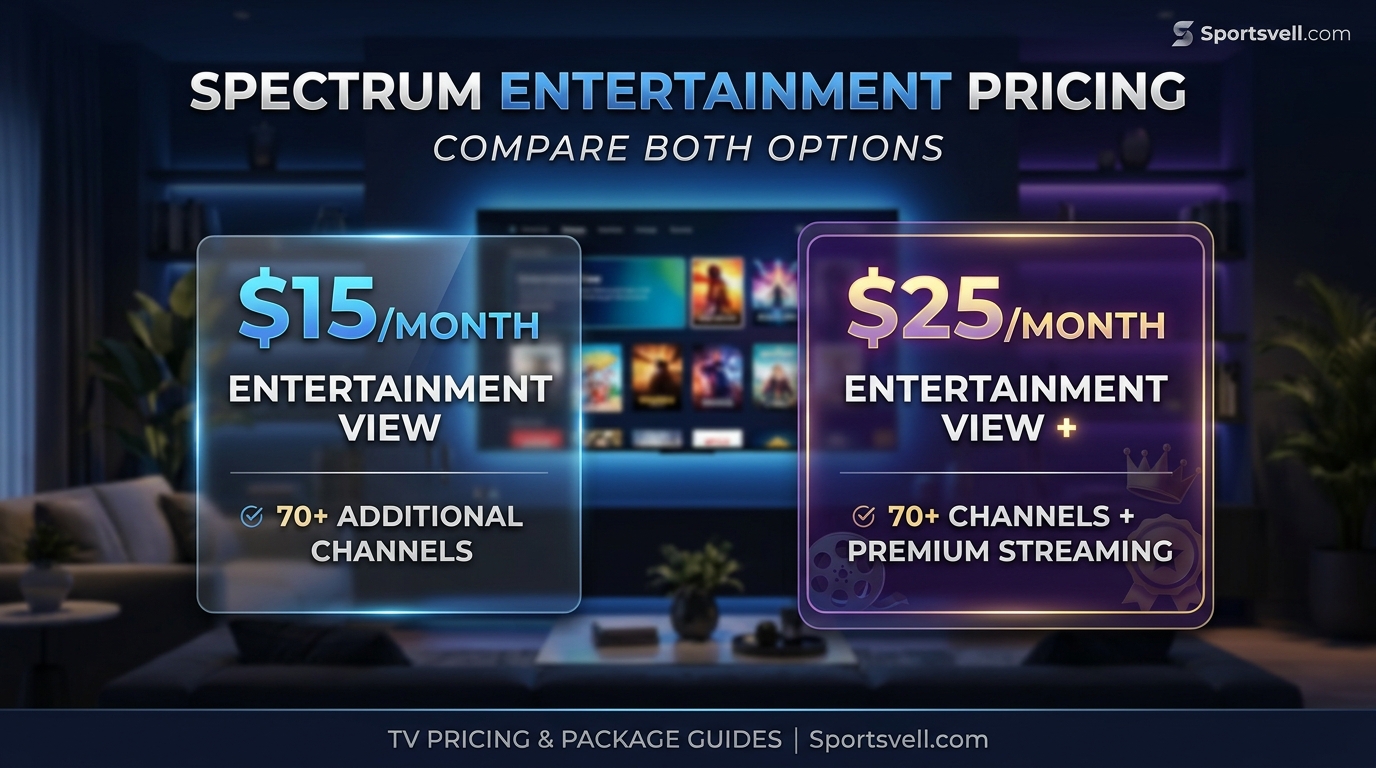
Spectrum sells three sibling add-ons beside the base plans, and shoppers confuse them because all three add channels for a monthly fee.
The table below compares all three, with price, channels, focus, and the best source for each figure.
Comparison Table
| Add-on | Price | Channels | Focus | Headline channels | Source |
|---|---|---|---|---|---|
| Entertainment View / Pack | $15/mo | 70+ | Sports, family, lifestyle | NFL Network, MLB Network, NBA TV, Cooking, Nick Jr, Discovery Family, LMN | Spectrum, Nov 17, 2026 |
| Entertainment View + / Pack + | $25/mo | 70+ plus streaming apps | All of the above plus premium streaming | All View channels plus HBO Max and Paramount+ with Showtime | Spectrum, ClubHDTV, TheChannelList |
| Sports View | $10/mo | 20+ | Live sports | NFL RedZone, MLB Strike Zone, NFL Network, NBA TV | CTVForMe, ClubHDTV, WolfMovers |
| Latino View | $10 to $15/mo | Not stated | Spanish-language | Not stated by sources | CTVForMe |
The comparison table is the decision table for a shopper, because it shows at a glance which add-on fits which viewing habit.
1. Entertainment View: The Broad Add-On
Entertainment View is the broadest add-on, with 70+ channels across sports, family, and lifestyle, for $15 per month, per Spectrum.
It fits a household where different people watch different things, because it mixes sports networks, kids channels, cooking, movies, and documentaries.
CTVForMe calls it ideal for casual viewers, in a table that pairs it with Sports View for live sports fans.
ClubHDTV calls it a suitable choice for viewers who want more options and need to save money, concentrating on sports, family, and lifestyle content.
2. Sports View: The Sports Add-On
Sports View focuses on live TV sports, including NFL RedZone and more, for $10 per month, per CTVForMe’s comparison table.
ClubHDTV lists Sports View channels as NFL RedZone, NFL Network, MLB Network Strike Zone, and NBA TV, at $10 per month.
WolfMovers says Sports View offers 20+ sports channels, including NFL RedZone and MLB Strike Zone, alongside FOX Soccer Plus and NBA League Pass as further tiers.
Sports View is the only add-on of the three that includes NFL RedZone, and a football fan who wants RedZone must add Sports View, not Entertainment View.
One Weebly review calls the sports pack “a breezy $6 per month,” which is a stale figure, labelled by source, and conflicts with the $10 figure from three sources.
A sports fan who wants both the broad networks and RedZone needs both add-ons, at $15 plus $10, or $25 per month combined, before the base plan.
3. Latino View: The Spanish-Language Add-On
Latino View costs $10 to $15 per month, per CTVForMe, and it is the Spanish-language counterpart to Entertainment View.
CTVForMe lists Latino View alongside Entertainment View, Sports View, and the premium channel packs in its add-on summary.
MapleTaste notes that besides the Latino View add-on, Spectrum offers a Latino TV plan, Mi Plan Latino, which is a base plan, not an add-on.
No source found prints a channel list for Latino View, and this page does not invent one, because the list varies by address like every other Spectrum lineup.
A Spanish-speaking household should compare Latino View as an add-on with Mi Plan Latino as a base plan, because the two overlap and the better value depends on the base plan already held.
Which Add-On Fits Which Viewer?
A general household with mixed tastes fits Entertainment View, because it covers sports, kids, cooking, movies, and documentaries in one $15 add-on.
A football fan who watches RedZone on Sundays fits Sports View, because RedZone is the one channel Entertainment View does not include.
A Spanish-speaking household fits Latino View or Mi Plan Latino, depending on whether the base plan is already a Spanish-language plan.
A movie lover who wants HBO Max and Paramount+ with Showtime fits the $25 Plus upgrade, because it bundles both apps with the 70+ channels.
A budget viewer who watches only a few of the 70+ channels should list the exact networks wanted and check whether the base plan already includes them, per GlossyPurifier’s method.
The Base Plans Entertainment View Attaches To
Entertainment View attaches to a base plan, and the base plan decides the total monthly bill, the channel count, and the bundled streaming apps.
The base-plan prices below conflict by source and by promotional versus standard rate, and every figure stays labelled by source and date.
Base Plan Table
| Base plan | Channels | Price, labelled | Type | Source |
|---|---|---|---|---|
| TV Select Signature | 150+ | $59.99/mo promo; $95 to $100/mo standard | Cable | WolfMovers; CTVForMe, Nov 2025 |
| TV Select Plus | 160+ | $69.99/mo promo first 12 months; $105 to $110/mo standard | Cable | WolfMovers; CTVForMe, Nov 2025 |
| TV Choice | 10 or 15 chosen, plus locals | $29.99/mo | Streaming, pick-your-own | Soft4Led, APsense |
| TV Stream | 85 to 90 | About $40/mo | Streaming-only | CTVForMe, Nov 2025 |
| Mi Plan Latino | 140+ to about 170 | $70 to $75/mo | Cable, Spanish-language | MapleTaste; CTVForMe |
| TV Stream Latino | 45 | About $25/mo | Streaming, Spanish-language | CTVForMe, Nov 2025 |
| TV Lite | Not stated | Not stated | Streaming, basic | Spectrum Pack FAQ (excluded) |
The base-plan table is context, not the topic, and it exists so a reader can see the total bill, not just the $15 add-on.
TV Select Signature and TV Select Plus
TV Select Signature offers 150+ channels in high definition, including CBS, CNN, FOX News, and HGTV, per WolfMovers.
WolfMovers prices TV Select Signature at $59.99 per month, which is a promotional price, while CTVForMe prices it at $95 to $100 per month, which is a standard rate.
TV Select Plus offers 160+ channels, per WolfMovers, at $69.99 per month for the first 12 months, while CTVForMe prices it at $105 to $110 per month.
CTVForMe says TV Select Plus encompasses all the TV Select channels while adding more sports and entertainment options, including FOX News Channel, CNBC, and CNN.
The standard Spectrum TV Select Plan is replaced by TV Select Signature and TV Select Plus in most locations, per WolfMovers, while some areas can still access the legacy TV Select plan.
An older source says TV Select offers 125+ channels, per the Weebly reviews, which is a legacy count that conflicts with the 150+ Signature count, and the conflict stays by source.
TV Choice and TV Stream
TV Choice starts at $29.99 per month, per Soft4Led and APsense, and it lets the viewer choose a small set of channels plus locals.
OnlineLike, in 2024, says TV Choice offers 40 channels for $29.99 in one section and 10 channels for $25 in another, a self-contradiction that marks the source as stale.
TV Stream costs about $40 per month for 85 to 90 channels, streaming-only, per CTVForMe, November 2025.
TV Stream is excluded from Entertainment View, per Spectrum’s View FAQ, but Stream TV Plans are eligible for Entertainment Pack, per Spectrum’s Pack FAQ.
A TV Stream customer who wants the 70+ channels should ask for Entertainment Pack, not Entertainment View, per Spectrum’s FAQ text.
Mi Plan Latino and TV Stream Latino
Mi Plan Latino offers 140+ channels, including Telemundo and Univision, per MapleTaste, or about 170 channels at $70 to $75 per month, per CTVForMe.
Mi Plan Latino is eligible for Entertainment View, per Spectrum’s View FAQ, which lists it alongside the TV Select Plans.
TV Stream Latino costs about $25 per month for 45 channels, per CTVForMe, and Stream TV Latino Mas is eligible for Entertainment Pack, per Spectrum’s Pack FAQ.
The Spanish-language plans are distinct from Latino View, which is an add-on, not a base plan, and the two must not be confused.
The Bundled Streaming Apps
TV Select Signature includes free ad-supported Disney+ Basic, Paramount+ Essential, ViX Premium, Max with Ads, and AMC+, depending on region, per CTVForMe, November 2025.
TV Select Plus adds ESPN+ and sometimes the Tennis Channel alongside the same streaming bundle, per CTVForMe, November 2025.
Beginning in 2025, Peacock Premium was also added to Select packages at no extra cost for qualifying subscribers, per CTVForMe, November 2025.
The bundled apps matter because a Select Signature customer may already have Max with Ads and Paramount+ Essential, which changes the value of the $25 Plus upgrade.
Check the current bundle before adding the Plus upgrade, because the bundled apps depend on region and on the base plan, per CTVForMe.
Contracts and Promotional Pricing
WolfMovers says Spectrum does not bind customers to annual contracts, and that the best thing about the provider is the absence of annual contracts.
Soft4Led says promotional pricing requires a 12-month agreement, while standard pricing has no contract requirements.
CTVForMe says promotional pricing is common, with lower rates for the first 12 months, but standard rates rise afterward.
The contract terms conflict by source, and the conflict stays by source, never merged, because the terms depend on the offer, the plan, and the date.
Ask Spectrum for the promotion length, the rate increase, and the total with taxes and fees before agreeing, per the JeopardyLabs training note on FTC disclosures and truth in billing.
How to Add Entertainment View
Adding Entertainment View takes five steps, and the first two matter more than the last three, because eligibility and the address lineup decide whether the add-on is available at all.
Step 1: Check Your Plan and Address
Open the most recent bill and record the base plan name, the add-on labels, and the service address, per GlossyPurifier’s bill-first method.
Compare the base plan with the eligibility table above: TV Select Plans and Mi Plan Latino for View, Stream TV Plans and Stream TV Latino Mas for Pack.
List the exact networks wanted, not just genres such as movies or cooking, per GlossyPurifier, because the genre label hides which networks are already included.
Step 2: Check the Channel Lineup Tool
Open Spectrum’s channel lineup tool, enter the service address, and view the comprehensive channel guide for the region, per Soft4Led and GB Times.
Go to the Channels By Package drop-down menu and select “Entertainment View” or “Entertainment Pack” to view the 70+ channels, per Spectrum’s FAQ text.
Existing customers can view and compare lineups on Spectrum’s site, per Spectrum’s FAQ text, which links to the comparison page.
Compare each required network with the lineup for the current main plan, per GlossyPurifier, and mark which networks would actually be new to the household.
Confirm any unclear or conflicting result with Spectrum before approving a change, per GlossyPurifier.
Step 3: Add Online, in the App, by Phone, or in a Store
Go to the Spectrum platform or contact customer support to learn about available packages and pricing choices, per ClubHDTV.
GB Times lists three routes: visit the Spectrum website, use the Channel Lineup Tool, or contact Spectrum directly by phone or online chat.
TheaterDIY, in older steps, says to open the Spectrum TV app, select My Account, click Subscriptions, scroll to Add-ons, and choose the package, with activation in up to 24 hours.
TheaterDIY’s steps are 1,285 days old, so they are labelled stale here, and the current app flow must be checked in the app itself.
A Spectrum store visit is a fourth route, per GB Times’ cancel advice, which names a store visit alongside the phone call.
Step 4: Check the Channel 2495 Claim
ClubHDTV says Spectrum TV consumers must press the 2495 channel number on their remote to add Spectrum Entertainment View.
That claim is single-source, appears only in ClubHDTV, and no other source confirms it, so it is labelled unverified here.
A reader who tries channel 2495 should treat the result as a test, not as a confirmed method, and should confirm the add-on with Spectrum afterward.
If channel 2495 does nothing on a given remote or box, use the website, the app, the phone, or a store instead, per the routes above.
Step 5: Confirm the Full Recurring Total
Ask whether adding the package requires changing the underlying plan, per GlossyPurifier, because a plan change can alter the base price.
Request the resulting full recurring total before agreeing, per GlossyPurifier, including taxes, fees, and any broadcast surcharge that applies to the account.
Record Spectrum’s confirmation with the date, per GlossyPurifier, and keep it with the bill, so a later billing dispute has a dated record.
Check the next bill to confirm the add-on label, the $15 charge, and the total, and query any difference at once.
How to Cancel or Remove Entertainment View

Removing Entertainment View takes four steps, and the online route works for most accounts, with a phone fallback for legacy packages.
Step 1: Check Your Bill Label
Open the most recent statement and locate the television services section, then record the exact add-on label, per GlossyPurifier.
The label may read Entertainment View or Entertainment Pack, and the removal steps are the same for either label, per the AskFelix flow.
Note the charge amount beside the label, because a $15 charge and a $25 charge mean different tiers, and the removal must match the tier.
Step 2: Remove Online at Spectrum.net
Log in at spectrum.net, per AskFelix, November 2026, which gives the fullest removal steps found for any Spectrum add-on.
Go to “My Account,” then “My Services,” which shows the current plan and every active add-on, per AskFelix.
Click “Manage” next to TV or Internet, which shows a breakdown of included features and optional extras, per AskFelix.
Find the package listed under “Add-Ons” or “Premium Channels,” per AskFelix, which names Showtime, Starz, and the Sports View Pack as common examples.
Select the channel or package to remove, then click “Remove,” and confirm when asked, per AskFelix.
The AskFelix removal guide gives the same steps for Xfinity alongside Spectrum, and it is the clearest removal guide found.
Step 3: Call or Visit a Store
If the online account does not show a “Remove” option for a specific add-on, call Spectrum at 1-833-267-6094, per AskFelix, November 2026.
That phone number is single-source, from AskFelix only, and it must be re-verified on Spectrum’s site before use, because numbers change.
Some legacy packages can only be modified by phone, per AskFelix, which is why the phone fallback exists.
GB Times says to contact Spectrum customer service directly, by phone or by visiting a Spectrum store in person, with account information and the reason for cancellation.
Be prepared to provide account information and the reason for cancellation, per GB Times, labelled by source.
Step 4: Check the Next Bill for a Partial Credit
Spectrum prorates some changes mid-cycle, so the savings may appear as a partial credit first, per AskFelix, November 2026.
Check the next bill to confirm the add-on is gone, the charge is removed, and any partial credit appears, per AskFelix.
If the charge remains on the next bill, call Spectrum with the removal date and the confirmation, and ask for the credit to be applied.
Keep the removal confirmation with the date, per GlossyPurifier’s record-keeping advice, so a later dispute has a dated record.
Is Entertainment View Worth It?
Entertainment View is worth $15 for a household that watches several of its 70+ channels every week, and it is not worth $15 for a household that watches only one or two.
The decision comes down to a simple count: list the exact networks wanted, check which ones the base plan already includes, and count the new ones.
GlossyPurifier’s method is the best decision method found: list the exact networks, check the address lineup, compare with the current plan, and mark which networks would actually be new.
Pros and Cons
| Pros | Cons |
|---|---|
| 70+ channels for $15 per month, per Spectrum | Add-on only, needs an eligible base plan |
| Sports, family, and lifestyle in one add-on | Two names with different eligibility lists |
| Live and On Demand, any connected device | Channels vary by location and service address |
| NFL Network, MLB Network, NBA TV included | NFL RedZone is in Sports View, not here |
| Nick Jr and Discovery Family for kids | HBO Max and Paramount+ need the $25 Plus tier |
| Cooking Channel and TCM for lifestyle and film | Price and count conflict across sources |
| No separate subscription needed | Plus upgrade may duplicate bundled streaming apps |
The pros and cons table is built from Spectrum’s own claims and the competitor guides, with every figure labelled by source in the sections above.
Who It Fits
A sports household fits Entertainment View, because NFL Network, MLB Network, and NBA TV cover three major leagues in one add-on.
Sports fans can watch their favorite teams on NFL Network, MLB Network, and NBA TV, per CTVForMe, November 14, 2026.
A family household fits Entertainment View, because Nick Jr and Discovery Family cover children’s and family viewing alongside the sports networks.
A cooking and lifestyle household fits Entertainment View, because the Cooking Channel, Destination America, and VICE cover food, home, and documentary viewing.
A movie household fits Entertainment View, because Lifetime Movie Network and Turner Classic Movies cover films without a premium movie channel.
Movie lovers can check out the Lifetime Movie Network, which has a great selection of films, per CTVForMe, November 14, 2026.
Who It Does Not Fit
A RedZone-only football fan does not fit Entertainment View, because NFL RedZone sits in Sports View at $10 per month, per CTVForMe and ClubHDTV.
A premium-only viewer does not fit the $15 tier, because HBO Max and Paramount+ with Showtime arrive only with the $25 Plus upgrade, per Spectrum.
A cord-cutter without a Spectrum TV plan does not fit Entertainment View at all, because the add-on is exclusive to Spectrum TV customers, per Spectrum.
A TV Lite customer does not fit Entertainment Pack, per Spectrum’s Pack FAQ, and a TV Stream customer does not fit Entertainment View, per Spectrum’s View FAQ.
A viewer who watches only one of the 70+ channels should check whether that channel is available another way, because $15 for one channel is poor value.
The Math: $15 Against the Channels You Actually Watch
Count the new networks the add-on would bring, using the address lineup and the base plan lineup, per GlossyPurifier’s method.
Divide $15 by the count of new networks watched weekly, and compare the result with the cost of watching those networks another way.
Five new networks watched weekly makes the add-on $3 per network per month, which is strong value against any standalone streaming app.
One new network watched weekly makes the add-on $15 for one network, which is poor value, and the viewer should look for another route.
Add the Plus upgrade to the math only if HBO Max and Paramount+ with Showtime are wanted, because the $25 tier is $10 more than the $15 tier.
Check whether the base plan already bundles Max with Ads or Paramount+ Essential, per CTVForMe, because a duplicate bundle wastes the $10 difference.
The Spectrum TV App: Watching Entertainment View Anywhere
Spectrum’s page carries a Spectrum TV App section headed “Watch at Home or On-the-Go,” and it is the only streaming section on the page.
With the Spectrum TV App, a viewer can stream live TV anywhere there is an internet connection, per Spectrum’s official page.
Stream favorite shows, sports, and movies from devices whenever and wherever wanted, per Spectrum, and set parental controls and program the DVR from the app.
All Entertainment View channels can be viewed live or On Demand at any time from any connected device, per both of Spectrum’s FAQ blocks.
ClubHDTV confirms the app route, writing that a viewer can download the Spectrum TV app, log in with an account, and broadcast Entertainment View channels live or on demand on any assisted equipment.
The ClubHDTV guide groups the channels into sports, movies, and lifestyle categories, and it answers the app question in its FAQ section.
GB Times lists Roku, Apple TV, Amazon Fire TV, and Chromecast as the streaming devices for the Spectrum TV app, labelled by source, because GB Times is unreliable on other claims.
GB Times also says a viewer needs a smart TV with the Spectrum TV app or a streaming device connected to the TV, then downloads the app and logs in with Spectrum credentials.
That device list is labelled by source here, and a reader should confirm the current device list on Spectrum’s site, because app support changes.
GB Times says Entertainment View does not require a cable box, and that the service streams through the Spectrum TV app.
GB Times is unreliable on other claims, so that sentence stays labelled by source.
Spectrum’s own page says the app lets a viewer program the DVR, but it does not say Entertainment View includes DVR storage, and DVR terms depend on the base plan and the equipment.
Confirm the DVR terms with Spectrum before adding the add-on, because a viewer who expects cloud DVR storage may find it is a separate charge.
Entertainment, Sports, and the Bigger Picture
Entertainment View sits inside a bigger entertainment budget, and the $15 add-on is one line among internet, a base TV plan, streaming apps, and premium channels.
SportsVell covers another word for entertainment, with 65+ synonyms and examples, for readers who want the language of the topic.
SportsVell also covers what sports and entertainment marketing is, which explains marketing through sports and entertainment versus marketing of sports and entertainment.
The sports networks in Entertainment View, NFL Network, MLB Network, and NBA TV, are the reason many households add the package in the first place.
SportsVell covers who won Monday Night Football, how many players are on a football team, and whether college football players get paid, all verified live on November 17, 2026.
SportsVell also covers the Ohio State vs Indiana watch guide and the Georgia vs Ole Miss watch guide, both of which list the channel, the stream, and the replay for a game already played.
A household that adds Entertainment View for the sports networks should also check the college conference networks, because ACC, SEC, Big Ten, Longhorn, and Pac-12 availability varies by service address, per Spectrum.
Traps: What This Page Does Not Use
Search results for Entertainment View are polluted by a wrong standalone price, a wrong channel count, a wrong streaming framing, legacy package names, and an unverified remote shortcut, and this section names each trap.
1. The $59.99 Standalone Framing
Soft4Led presents Entertainment View as a standalone package at $59.99 per month for cord-cutters who want essential entertainment without a full cable package.
That framing is wrong, because Spectrum prices the add-on at $15 per month, exclusive to Spectrum TV customers, per Spectrum’s official page.
No other source supports $59.99, and the figure must never be used, quoted, or linked as if it were true.
2. The 125+ Channel Count
TheaterDIY says the Entertainment View channel list offers more than 125 channels of entertainment, news, and sports, including ESPN, Nickelodeon, A&E, TBS, and Food Network.
That count is wrong, because those are base-package channels, not add-on channels, and Spectrum’s official count is 70+ additional channels.
TheaterDIY’s page is 1,285 days old, and its count must never be used, because it conflates the base package with the add-on.
3. The “Streaming TV Service” Framing
GB Times calls Entertainment View a “streaming TV service” offering a curated selection of popular channels, with ABC, CBS, NBC, FOX, Discovery, HGTV, Food Network, TLC, CNN, MSNBC, Fox News, and USA Network.
That framing is wrong, because those are base-package channels, and Entertainment View is a cable TV add-on whose channels can be streamed through the Spectrum TV app.
GB Times’ channel list must never be repeated as the Entertainment View lineup, and its “streaming TV service” label must never be used.
4. The Silver and Gold Packages
TheaterDIY says a Spectrum TV Select customer who wishes to add channels from the Silver or Gold packages may pay $25 to $60 per month depending on region.
TheaterDIY adds that customers with a Preferred or Premier plan can add additional channel packs free of charge.
Silver, Gold, Preferred, and Premier are legacy package names that no current source uses, and the $25 to $60 range conflicts with every current price.
Legacy names must never be presented as current Spectrum plans, and a reader who sees them should treat the source as stale.
5. The Unverified Channel 2495 Claim
ClubHDTV says Spectrum TV consumers must press the 2495 channel number on their remote to add Spectrum Entertainment View.
That claim appears in one source only, and no other source confirms it, so it stays labelled unverified throughout this page.
A reader who tries channel 2495 should confirm the result with Spectrum, and should not assume the shortcut works on every remote, box, or app.
How to Check Any Entertainment View Claim Yourself
Use these five steps to verify any Entertainment View claim before publishing it, quoting it, or acting on it, because stale prices and wrong counts are common for this add-on.
Step 1: Read Spectrum’s Official Page
Open Spectrum’s official Entertainment View page in a browser, and read both FAQ blocks, because the page contains the naming conflict in Spectrum’s own words.
Spectrum’s page returned a 403 to an automated check on November 17, 2026, so it is named in plain text here, not linked, and a reader should open it in a browser.
The page was read directly on November 17, 2026, and the definition, the $15 price, the 70+ count, the Plus upgrade, and both eligibility lists on this page come from that read.
Step 2: Check the Bill-First Method
Open the GlossyPurifier bill-check guide, which checked Spectrum’s page on October 16, 2026, and confirmed the dual naming independently.
GlossyPurifier’s method is the best accuracy check found: start with the bill, record the label, check the address lineup, and ask Spectrum for the full recurring total.
Step 3: Compare the Freshest Guide
Open the CTVForMe guide, published November 14, 2026, the freshest guide found, and compare its $15 price, its 70+ count, and its Sports View table.
CTVForMe’s guide is three days old at the time of writing, and it agrees with Spectrum on the price, the count, and the eligibility list.
Step 4: Check the Town-Level Data
Open TheChannelList’s Entertainment Pack + page, updated November 13, 2026, for the town-level count of 85 to 105 channels, including locals, in 1,213 of 1,215 towns.
TheChannelList returned no response to an automated check on November 17, 2026, so it is named in plain text here, not linked, and a reader should open it in a browser.
TheChannelList’s “needs TV Lite” claim conflicts with Spectrum’s “excludes TV Lite,” and the conflict must stay by source, never merged.
Step 5: Confirm with Spectrum Before Acting
Confirm any unclear or conflicting result with Spectrum before approving a change, per GlossyPurifier, because the account offer and the service address decide the truth.
Record Spectrum’s confirmation with the date, per GlossyPurifier, and keep it with the bill, so a later dispute has a dated record.
Evoca’s package table returned a 503 to an automated check on November 17, 2026, so Evoca is named in plain text here, not linked, and its $15 figure is labelled by source.
Frequently Asked Questions
1. What is Spectrum Entertainment View?
Spectrum Entertainment View is a TV add-on package that offers 70+ additional channels to a Spectrum TV plan for $15 per month, per Spectrum’s official page, read November 17, 2026.
It is exclusive to Spectrum TV customers, and it is not a standalone package or a streaming subscription by itself, per Spectrum and GlossyPurifier.
2. How much does Spectrum Entertainment View cost?
$15 per month, per Spectrum’s official page, Evoca, CTVForMe (November 14, 2026), ClubHDTV (March 2026), and JeopardyLabs training.
Older sources say $12 or $8, and Soft4Led says $59.99, which is wrong, and all figures are labelled by source and date in the price table above.
3. What channels are on Spectrum Entertainment View?
70+ channels, per Spectrum, including NFL Network, MLB Network, NBA TV, Cooking Channel, Nick Jr, Discovery Family, and Lifetime Movie Network.
The full list varies by address, so use the Channels By Package filter and select “Entertainment View” on Spectrum’s lineup tool.
4. Is Entertainment View the same as Entertainment Pack?
Spectrum’s own page uses both names for the same $15, 70+ channel add-on, but the two FAQ blocks list different eligibility, so the names are not interchangeable on every plan.
Check the label on the bill and the eligibility for the base plan, per GlossyPurifier, before assuming an older description applies.
5. What is Entertainment View + / Entertainment Pack +?
The $25 per month upgrade that takes all the Entertainment View or Pack channels and adds HBO Max, including HBO channels, and Paramount+ with Showtime, per Spectrum, ClubHDTV, and TheChannelList.
6. What plans are eligible for Entertainment View?
Spectrum TV Select Plans and Mi Plan Latino, per Spectrum’s Entertainment View FAQ, and it excludes TV Stream.
CTVForMe confirms the same list, naming TV Select, Signature, and Mi Plan Latino, in its November 14, 2026 guide.
7. What plans are eligible for Entertainment Pack?
Spectrum Stream TV Plans and Stream TV Latino Mas, per Spectrum’s Entertainment Pack FAQ, and it excludes TV Lite.
Availability varies by location, per Spectrum, and the account’s current eligibility screen is the final check, per GlossyPurifier.
8. Can I add Entertainment View to TV Stream?
No, per Spectrum’s Entertainment View FAQ, which says it excludes TV Stream.
The Pack version is the one for Stream TV Plans, per Spectrum’s Pack FAQ, so a TV Stream customer should ask for Entertainment Pack.
9. Can I add Entertainment View to TV Select?
Yes, per Spectrum’s Entertainment View FAQ, which lists Spectrum TV Select Plans as eligible.
CTVForMe confirms the same answer, writing that the package works well with TV Select, Signature, and Mi Plan Latino.
10. Can I add Entertainment View to Mi Plan Latino?
Yes, per Spectrum’s Entertainment View FAQ, which lists Mi Plan Latino as eligible alongside the TV Select Plans.
11. Can I add Entertainment Pack to TV Lite?
No, per Spectrum’s Pack FAQ, which says it excludes TV Lite.
TheChannelList says Pack + “needs” TV Lite, which conflicts with Spectrum, and the conflict stays by source, never merged.
12. Is Entertainment View a standalone package?
No, it is an add-on to an eligible Spectrum TV plan, exclusive to Spectrum TV customers, per Spectrum’s official page.
It is not a standalone streaming subscription, per GlossyPurifier, which checked Spectrum’s page on October 16, 2026.
13. Is Entertainment View a streaming service?
No, GB Times calls it a “streaming TV service” with base-package channels, which is wrong.
It is a cable TV add-on whose channels can be streamed live or On Demand through the Spectrum TV app, per Spectrum.
14. How many channels does Entertainment View have?
70+, per Spectrum’s official page, Evoca, CTVForMe, and ClubHDTV.
Other sources say 80+, 84, 75+, and 85 to 105 for Pack + including locals, and the 125+ figure from TheaterDIY is wrong, all labelled by source in the count table above.
15. Does Entertainment View include HBO Max?
Only the Plus upgrade at $25 per month includes HBO Max, including HBO channels, per Spectrum’s official page.
The $15 tier does not include HBO Max, and a viewer who wants it must add the Plus upgrade or a premium channel pack.
16. Does Entertainment View include Paramount+ with Showtime?
Only the Plus upgrade at $25 per month includes Paramount+ with Showtime, per Spectrum’s hero, ClubHDTV, and TheChannelList.
17. Does Entertainment View include NFL Network?
Yes, per Spectrum’s official page, which names NFL Network first among the featured channels, and per CTVForMe, ClubHDTV, Evoca, and the Weebly reviews.
18. Does Entertainment View include NFL RedZone?
No, NFL RedZone is in Sports View, not Entertainment View, per CTVForMe, ClubHDTV, and WolfMovers.
Sports View costs $10 per month and includes NFL RedZone and MLB Strike Zone, per the same sources.
19. What is the difference between Entertainment View and Sports View?
Entertainment View is 70+ sports, family, and lifestyle channels for $15 per month, while Sports View is 20+ sports channels including NFL RedZone for $10 per month, per CTVForMe, ClubHDTV, and WolfMovers.
20. How do I add Entertainment View?
Go to Spectrum’s site, use the Spectrum TV app, call Spectrum, or visit a store, per ClubHDTV and GB Times.
Check the plan eligibility and the address lineup first, and ask for the full recurring total before agreeing, per GlossyPurifier.
21. What is channel 2495 on Spectrum?
ClubHDTV says Spectrum TV consumers must press channel 2495 on their remote to add Entertainment View.
That claim is single-source and unverified, appears only in ClubHDTV, and no other source confirms it, so treat it as a test, not a confirmed method.
22. How do I cancel Entertainment View?
Log in at spectrum.net, go to My Account, then My Services, click Manage next to TV, find the add-on under Add-Ons or Premium Channels, and click Remove, per AskFelix, November 2026.
If no Remove option appears, call Spectrum at 1-833-267-6094, per AskFelix, a single-source number that must be re-verified, or visit a store, per GB Times.
23. Will I get a partial credit if I cancel mid-cycle?
Spectrum prorates some changes mid-cycle, so the savings may appear as a partial credit first, per AskFelix, November 2026.
Check the next bill to confirm the add-on is gone and the credit appears.
24. Does Entertainment View vary by location?
Yes, availability varies by location, and not all channels are available in all areas, per Spectrum’s official page.
ACC, SEC, Big Ten, Longhorn, and Pac-12 availability varies by service address, per both of Spectrum’s FAQ blocks.
25. Is Entertainment View worth $15 per month?
It fits a viewer who watches several of its 70+ channels, especially NFL Network, MLB Network, NBA TV, Cooking Channel, Nick Jr, and Discovery Family, and who already has an eligible base plan.
It does not fit a viewer who wants NFL RedZone, premium channels only, or a standalone streaming service, per the comparison table above.
Conclusion
What is Spectrum Entertainment View? It is a $15 per month TV add-on that adds 70+ channels to an eligible Spectrum TV plan, per Spectrum’s official page, read November 17, 2026.
It is not a standalone package, and it is not a streaming subscription by itself, per Spectrum and GlossyPurifier.
The Plus upgrade costs $25 per month and adds HBO Max, including HBO channels, and Paramount+ with Showtime, per Spectrum, ClubHDTV, and TheChannelList.
Spectrum uses two names, Entertainment View and Entertainment Pack, with different eligibility lists, and a reader must check which name matches the base plan.
Entertainment View attaches to TV Select Plans and Mi Plan Latino and excludes TV Stream, per Spectrum’s View FAQ block.
Entertainment Pack attaches to Stream TV Plans and Stream TV Latino Mas and excludes TV Lite, per Spectrum’s Pack FAQ block.
The price and count conflicts across sources are real, and this page keeps every figure labelled by source and date, with the $59.99 price and the 125+ count flagged as wrong.
Before adding or removing the add-on, check the bill label, check the address lineup, list the exact networks wanted, and ask Spectrum for the full recurring total, per GlossyPurifier’s method.
Every price, every count, and every eligibility claim on this page was checked on November 17, 2026.
Every figure must be re-verified at publication, because Spectrum’s prices and lineups vary by location and change over time.
Check the current offer on Spectrum’s official Entertainment View page, in a browser, and confirm the eligibility for the exact base plan on the account before agreeing to any change.