
Does Southwest Have In-Flight Entertainment? Yes, Free Movies, Live TV and WiFi

Does Southwest have in-flight entertainment is a question with a clear yes, because Southwest offers free movies, live TV, and music on every WiFi-enabled flight.
Southwest has no seatback screens, so all entertainment streams to the passenger’s own phone, tablet, or laptop through the onboard portal.
The movies, TV shows, live TV, and music are free, and no app download or sign-up is required to open the portal in a browser.
Readers will find the direct answer first, then the connect steps, the full list of what is free, the WiFi prices, the Starlink split, and the answers to the most common questions.
The Short Answer: Yes, Free Movies, Live TV, and Music on Your Own Device
Yes, Southwest has in-flight entertainment, and it is free on WiFi-enabled aircraft, through a portal that opens in the browser of a personal device.
The portal carries on-demand movies and TV shows, 12 live TV channels, music through iHeartRadio, and a flight tracker that shows the remaining flight time.
Southwest does not have seatback screens, and the airline states this plainly in its official support centre, along with the fact that it does not rent devices or sell headphones onboard.
Headphones are required whenever a passenger listens to audio, so travellers should bring their own pair, because none are sold on the aircraft.
The official Southwest entertainment portal lists the current movies and TV shows, and it is linked in the section below on what passengers can watch.
| What it is | Free or paid | Notes |
|---|---|---|
| Movies on the portal | Free | No WiFi purchase needed; browser access |
| TV shows on demand | Free | Rotating selection; varies by flight |
| Live TV (12 channels) | Free | News, sports, and entertainment channels |
| Music through iHeartRadio | Free | Stations and podcasts in the portal |
| Flight tracker | Free | Shows route, speed, and time remaining |
| Messaging (iMessage, WhatsApp) | Needs WiFi | Free member WiFi or $8 purchase (NerdWallet, October 2026) |
| Full internet browsing | Free for members; $8 for others | $8 per device per flight for non-members |
| Streaming Netflix or YouTube | Blocked on legacy planes | Allowed on Starlink planes through free WiFi |
No Seatback Screens: What That Means
Southwest has never installed seatback screens, and the choice is deliberate, because screens add weight, cost, and maintenance to every aircraft in the fleet.
Passengers must bring their own device, and the airline calls this a stream-to-your-own-device model, which is common among low-cost carriers.
The lack of a screen is the main difference from Delta and JetBlue, which both offer seatback screens on many aircraft, and from United and American, which offer them on some aircraft.
Battery life becomes the passenger’s responsibility, because a phone or tablet must last the whole flight, and in-seat power is still being installed across the fleet.
Neck strain is a real complaint, because a phone propped on a tray table sits lower than a seatback screen, so a tablet stand or a fully charged laptop helps on long flights.
What Is Free and What Costs $8
All portal entertainment is free, including movies, TV shows, live TV, music, and the flight tracker, and none of it needs a WiFi purchase.
Full internet access costs $8 per device per flight for passengers who are not Rapid Rewards members, and it is free for members, as explained in the WiFi section below.
Messaging through iMessage and WhatsApp now needs the free member WiFi or the $8 purchase, which is a change from the older guides that called messaging free without WiFi.
Streaming services such as Netflix and HBO Max are blocked on legacy aircraft, so passengers who want their own shows should download them before boarding, or hope for a Starlink plane.
How to Watch Movies on Southwest Airlines
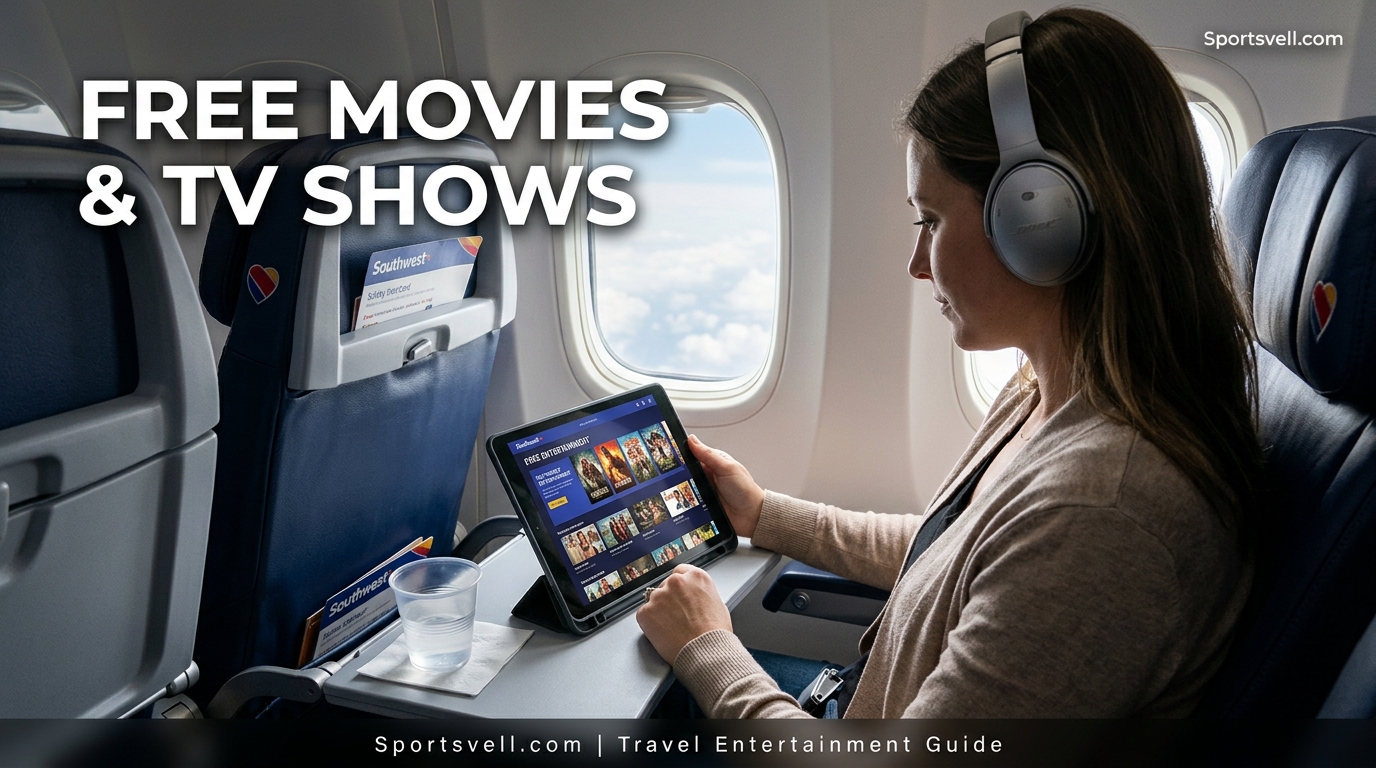
Watching a movie on Southwest takes three steps, and the whole process happens in the browser, with no app download required.
The portal opens once the aircraft doors are closed, and connectivity is available for taxi, takeoff, and landing, according to the official Southwest support centre.
Passengers should download the Southwest app before boarding only if they want the app as a media player, because the browser works for most content, and some movies need the app for digital rights management.
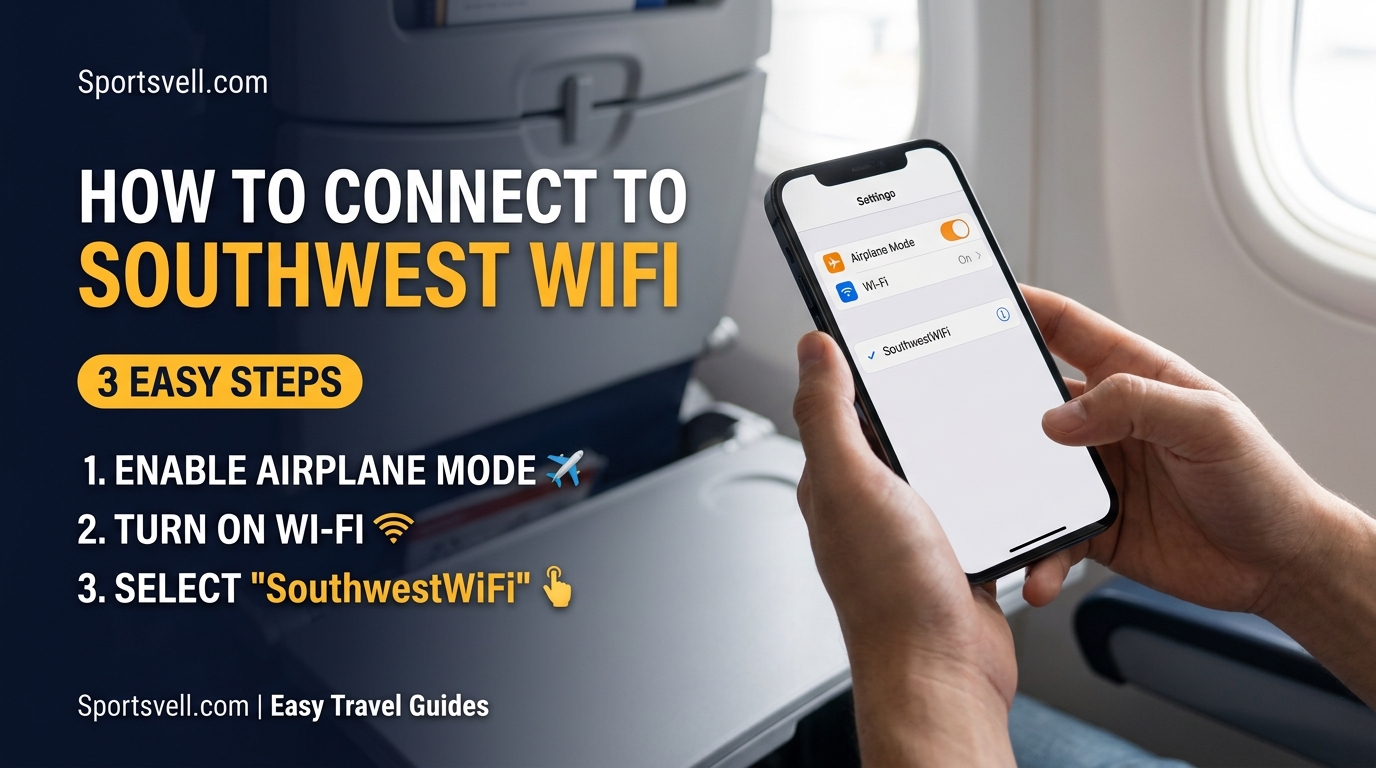
Connect in Three Easy Steps
Step 1: Open Settings and turn on Airplane Mode, which switches off the cellular radio while keeping WiFi available.
Step 2: Turn on WiFi and choose the SouthwestWiFi network, which appears in the list of available networks once the aircraft systems are active.
Step 3: Tap Access the portal or type SouthwestWiFi.com in the browser, which opens the entertainment portal with the movie, TV, live TV, and music sections.
The portal should open automatically in many browsers, but typing the address directly is the reliable fallback when the redirect does not appear.
Do You Need the Southwest App?
No, the Southwest app is not required, because the entertainment platform is browser-based and works in Safari, Chrome, and other modern browsers.
Some movies use digital rights management that needs the app as the media player, so downloading the app before departure avoids a surprise at 30,000 feet.
The app also carries the boarding pass and flight status, so it is worth having even for passengers who plan to watch in the browser.
Passengers without the app can still watch live TV and most movies in the browser, and the portal itself needs no download or sign-up.
What Devices Work: Phone, Tablet, and Laptop
Phones, tablets, and laptops all work with the Southwest portal, including iOS and Android phones, iPads and Android tablets, and Windows, macOS, and ChromeOS laptops.
A tablet is the best screen size for movies, because it is large enough to watch comfortably and small enough to hold for a whole flight.
A laptop works well for work and for movies, but the tray table is small, so a compact laptop fits better than a large one.
Device requirements are listed in the official support article, and Southwest states that it cannot provide technical support for personal devices.
What Can You Watch on Southwest?
Southwest offers free movies, TV shows, live TV, and music, all through the portal, with the selection rotating regularly like a streaming service library.
Southwest does not publish a fixed or permanent movie list, so the exact titles change from month to month, and no title is guaranteed on any given flight.
The library usually holds 30 to 50 movie titles, according to competitor reporting, which is enough for a cross-country flight but not for a whole week of travel.
The official portal lists the current titles, and the Southwest inflight entertainment portal shows the new releases, family features, and TV series available now.
Free Movies and TV Shows
Current titles on the official portal in November 2026 include Spider-Man: Brand New Day, Masters of the Universe, and You, Me and Tuscany among the new releases.
Family features on the portal include Monsters, Inc., and the TV series section lists Top Chef and It is Always Sunny in Philadelphia.
Movies are free with no WiFi purchase needed, and closed captioning can be enabled for movies when it is available.
The selection mixes recent blockbusters with reliable classics, and the newest titles are usually films that left theatres a few months earlier.
Free Live TV: 12 Channels
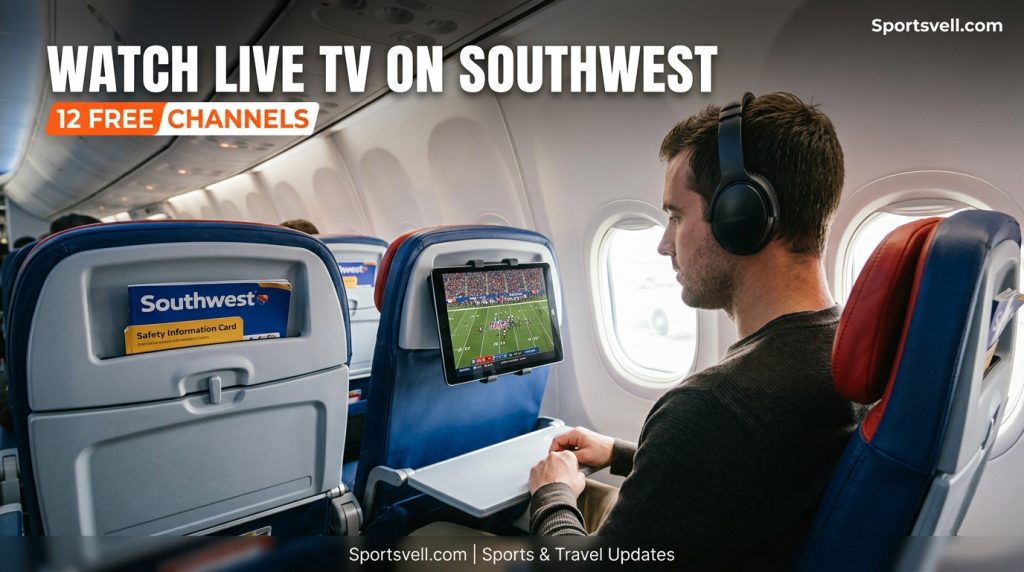
Southwest offers 12 free live TV channels through the portal, according to Upgraded Points, covering news, sports, and entertainment.
Sports fans can watch live games on ESPN and NFL Network, which carry the biggest college and professional matchups, including the marquee games covered in the where to watch Alabama versus Georgia guide.
News viewers can follow CNN, FOX News, CNBC, and MSNBC, while entertainment viewers can watch HGTV, TBS, USA, ABC, CBS, NBC, and FOX.
| Live TV channel | What it carries |
|---|---|
| ABC | News, sports, and entertainment |
| CBS | News, sports, and entertainment |
| CNBC | Business and financial news |
| CNN | Breaking news and analysis |
| ESPN | Live sports and studio shows |
| FOX | News, sports, and entertainment |
| Fox News | News and opinion |
| HGTV | Home and lifestyle shows |
| NBC | News, sports, and entertainment |
| NFL Network | Football news, analysis, and games |
| TBS | Comedy and entertainment |
| USA | Drama and entertainment |
A second source lists about 14 channels, adding Bravo, MSNBC, and Disney Channel.
The 12-channel list above is the one used here, because it comes from the stronger source and the counts were never merged.
Live TV is the strongest part of the Southwest portal, because it is the only free live television available on a low-cost carrier in the United States.
Free Music Through iHeartRadio
Southwest offers free music through iHeartRadio in the portal, with stations across many genres and a selection of podcasts.
Music needs headphones like any other audio, and the portal music works without a WiFi purchase, because it streams from the onboard server.
The onboard server caches the content on the aircraft, which means less buffering than live internet, because the stream travels a short distance inside the plane.
Flight Tracker and Moving Map
The portal includes a flight tracker that shows the route, the aircraft speed and altitude, and the time remaining in the flight.
The moving map is a favourite for window-seat passengers, because it shows the cities passing below and the distance to the destination.
The tracker works without a WiFi purchase, because it is part of the free portal, and it updates throughout the flight.
Southwest WiFi: Free for Rapid Rewards Members, $8 for Everyone Else
Southwest WiFi is free for all Rapid Rewards members since October 24, 2025, thanks to a sponsorship from T-Mobile, and it is $8 per device per flight for everyone else.
Rapid Rewards membership is free, and no T-Mobile service is required, so any passenger can join and get free WiFi on the next flight.
The free WiFi is unlimited onboard WiFi, according to NerdWallet, which updated its Southwest WiFi guide on October 29, 2026, and confirmed the arrangement.
The NerdWallet Southwest WiFi guide is the most current independent source on the free WiFi rules, and it is linked in the section below on the $8 rule.
Free WiFi Since October 24, 2025 (T-Mobile)
Southwest and T-Mobile announced the partnership on September 4, 2025, with free WiFi for Rapid Rewards members starting on October 24, 2025.
Any Southwest customer can sign up for a free Rapid Rewards account before or during a flight, regardless of which wireless carrier they use, according to T-Mobile.
A-List Preferred members used to get free WiFi as an exclusive perk, but the benefit is no longer exclusive, because every Rapid Rewards member gets it now.
Southwest joined the free WiFi trend later than Delta and JetBlue, but the change followed months of dramatic changes to the airline’s business model, according to NerdWallet.
How to Join Rapid Rewards for Free
Step 1: Open the Southwest website or app and choose the Rapid Rewards sign-up option, which asks for a name, email, and password.
Step 2: Create the account before the flight, or join during the flight through the WiFi portal, because the sign-up works onboard as well.
Step 3: Log in with the Rapid Rewards username, member number, or confirmation number on the WiFi portal to activate the free internet access.
The account costs nothing and has no annual fee, and it also earns points on flights, which is the main reason most passengers join.
The $8 Per Device Per Flight Rule and the Connecting-Flight Trap
Non-members pay $8 per device per flight where paid internet is offered, and the price applies to each device separately, not to the passenger.
A connecting flight costs $8 per leg, so a passenger with two legs and a layover pays $16 to stay connected on both flights, according to NerdWallet.
Southwest’s official optional-fees schedule lists inflight WiFi at $8 and identifies the service as free for Rapid Rewards members, according to thepricer.org in November 2026.
WiFi cannot be pre-purchased before a flight, and it can only be bought onboard by opening SouthwestWiFi.com after connecting to the network.
The NerdWallet guide to Southwest WiFi explains the $8 per device rule, the free member access, and the connecting-flight cost in full.
| Passenger or situation | WiFi charge | Conditions |
|---|---|---|
| Rapid Rewards member | $0 | Log in on WiFi-enabled aircraft |
| Non-member, one flight | $8 per device | Where paid internet is offered |
| Non-member, two legs | $16 per device | $8 per leg, per device |
| A-List Preferred member | $0 | Free WiFi on all flights, including international |
| Starlink aircraft | $0 for members; $8 for others | Free WiFi streams own apps on these planes |
What WiFi Blocks: Netflix, HBO Max, Zoom, and Teams
Southwest may prohibit high-bandwidth applications, websites, and video conferencing services, and it may restrict potentially offensive online content, according to the official support centre.
NerdWallet names Netflix, HBO Max, Zoom, and Microsoft Teams as blocked on legacy aircraft, because the older satellite connection cannot support them for a full plane.
The block keeps the connection stable for everyone, but it frustrates passengers who planned to stream their own shows on the paid WiFi.
The exception is Starlink aircraft, where the faster connection supports streaming from personal apps, as explained in the next section.
Southwest Starlink WiFi: The 2026 Split
Southwest unveiled its Starlink partnership on February 11, 2026, bringing SpaceX satellite internet to its Boeing 737 fleet for the first time.
The first Starlink-equipped Boeing 737 flew on June 22, 2026, from Dallas Love Field to Albuquerque, New Mexico, as flight N8543Z, a 737-800.
Starlink uses a constellation of more than 9,000 low-Earth-orbit satellites, which delivers faster speeds and lower latency than the older satellite providers.
The Starlink rollout is the biggest cabin change at Southwest in 2026, alongside assigned seating, extra-legroom seats, in-seat power, and larger overhead bins.
What Starlink Changes: Stream Your Own Apps
On Starlink aircraft, passengers can stream from their own apps, including Netflix, YouTube, and other services, using the free member WiFi.
Starlink supports streaming and multiple devices, so a passenger can connect a phone, a tablet, and a laptop at the same time.
Starlink also supports live gaming, real-time messaging, and large-file work, according to the launch reporting, although video-conferencing restrictions may still apply.
The Southwest app labels a Starlink trip as WiFi Powered by Starlink, so passengers can see the label before they board.
What Starlink Removes: The Portal Movies and Live TV
On Starlink aircraft, the onboard portal entertainment is not available, according to the official Southwest support centre, so the free movies and live TV disappear.
Passengers on Starlink planes use the free WiFi to stream from their own services, browse, and stay connected across multiple devices instead.
The trade is simple: portal movies on legacy planes, own apps on Starlink planes, and passengers who want a specific show should check which plane they are on.
The portal exception is the detail most guides miss, because they describe the portal as if it works on every Southwest flight, and it does not.
How to Tell If Your Plane Has Starlink
Check the Southwest app for the label WiFi Powered by Starlink, which appears on the trip details for Starlink-equipped flights.
Kayak shows whether a flight has Starlink, according to NerdWallet, which calls the travel search engine the best way to check before booking.
Ask at the gate or check the aircraft registration, because the first Starlink aircraft was N8543Z, and the fleet list grows every month.
Starlink Rollout: 47 Planes in October 2026, Fleetwide by Fall 2027
Southwest originally targeted more than 300 aircraft by the end of 2026, and the airline confirmed that target in its first-quarter results.
AirlineGeeks reported on October 17, 2026 that only 47 aircraft had Starlink installed, which shows the rollout running slower than the original target.
Southwest’s October 22, 2026 financial filing confirms that Starlink-equipped planes are in service and places expected fleetwide completion in fall 2027, according to thepricer.org.
Southwest ended 2025 with 803 aircraft, so the 300-jet target would cover a substantial share of the fleet but not yet a majority.
Passengers flying in November 2026 should not assume every Southwest aircraft has Starlink, because the rollout is still in progress, and the portal still matters on most planes.
| Starlink milestone | Date | Source |
|---|---|---|
| Partnership unveiled | February 11, 2026 | Southwest and SpaceX |
| First Starlink flight (Dallas to Albuquerque, N8543Z) | June 22, 2026 | Southwest, aeronauticsmagazine.com |
| Original target: 300+ aircraft | End of 2026 | Southwest, first-quarter results |
| Aircraft with Starlink installed | 47, October 17, 2026 | AirlineGeeks, via thepricer.org |
| Fleetwide completion expected | Fall 2027 | Southwest, October 22, 2026 filing |
The Starlink first flight is covered in detail by the AirMag report on Southwest Starlink WiFi, which names the aircraft, the route, and the rollout target.
Free Messaging: iMessage and WhatsApp
Southwest passengers can text through iMessage and WhatsApp during the flight, but the rules for free messaging changed in 2026.
Messaging used to be free without WiFi, because the portal allowed iMessage and WhatsApp without a purchase, and older guides still say so.
Messaging now needs the free member WiFi or the $8 WiFi purchase, according to NerdWallet in its October 29, 2026 guide, which flags the change directly.
Passengers should join Rapid Rewards before boarding if they want to text for free, because the free WiFi covers messaging on every leg.
The messaging apps must be downloaded before the flight, because the portal cannot install an app at 30,000 feet, and the download needs a ground connection.
The Change: Messaging Now Needs WiFi
Older guides describe free messaging as a separate perk, and the June 2025 guide from gbtimes still lists free WiFi for the portal and messaging as if it were the current rule.
The current rule ties messaging to WiFi access, which means a non-member who skips the $8 purchase cannot text, even though the movies and live TV still work.
The change is easy to miss, because the portal itself has not changed, and only the messaging access moved behind the WiFi login.
In-Seat Power: USB-A and USB-C at Every Seat
Southwest is bringing in-seat power to its aircraft, and once installed, each seat back will feature USB-A and USB-C ports.
The official support centre confirms the rollout, and it describes the ports as part of the new cabin that also includes assigned seating and larger overhead bins.
USB-C is the important port, because most new phones and tablets charge through USB-C, and the older USB-A port covers legacy cables.
Passengers should still charge before boarding, because the rollout is not complete, and a plane without in-seat power leaves the battery as the only option.
A portable charger is the safest backup, and it should be fully charged before the flight, because it cannot be recharged in the air without a working port.
Southwest Entertainment on International Flights
Southwest flies to 11 countries, and the entertainment rules change on international routes, because licensing limits what can be shown outside the United States.
Free movies, TV series, and live TV may not be available on select WiFi-enabled flights, according to the official Southwest support centre, because of licensing and other restrictions.
On international flights, free entertainment is typically only available for the portion over United States airspace, according to Upgraded Points, and it stops when the aircraft leaves that airspace.
Passengers on international flights should download content before boarding, because the portal may go dark for part of the trip, and the free WiFi may also be limited to the domestic portion.
WiFi on international routes is available only during the domestic portion of the trip, according to AwardsPlanner, so the connection drops as the aircraft crosses the border.
A-List Preferred members get free WiFi on all flights, including international routes, according to AwardsPlanner, which is the one exception to the international limit.
Southwest vs Delta vs United vs American vs JetBlue: Entertainment Comparison
Southwest is the only major United States airline with no seatback screens at all, and that single fact shapes every comparison in the table below.
Delta offers seatback screens on many aircraft, with up to 300 movies, on-demand TV shows, and up to 15 channels of live satellite TV through Delta Studio.
JetBlue offers seatback screens and free WiFi for all guests, which is why JetBlue ranked first in the NerdWallet study of 14 airlines, with Delta and Southwest in the top three.
American offers seatback screens on larger aircraft and personal-device entertainment on the rest, with live TV on select domestic and international routes.
United offers seatback screens on some aircraft and personal-device entertainment through the United app, with more than 100 channels of live TV on certain 737 aircraft.
| Airline | Free movies | Seatback screens | Live TV | Free WiFi | App required |
|---|---|---|---|---|---|
| Southwest | Yes | No | Yes (12 channels) | Yes, for Rapid Rewards members | No |
| Delta | Yes | Yes, many aircraft | Limited (15 channels) | Yes, most domestic mainline | No |
| American | Yes | Some aircraft | Limited | No, from $10 | Sometimes |
| United | Yes | Some aircraft | No (100+ channels on select 737s) | No, paid | Often |
| JetBlue | Yes | Yes | Yes | Yes, for all guests | No |
| Alaska | Yes | No, personal device | Yes, select | Yes, for Atmos Rewards members on Starlink aircraft | Yes |
The comparison table above is based on the flyrules.com table, with the WiFi column updated from the October 2026 free WiFi reporting, and it is linked below.
Southwest wins on free live TV and free portal movies, but loses on seatback screens, and JetBlue wins overall because it offers both screens and free WiFi for everyone.
Delta wins on movie selection, with up to 300 titles on seatback screens, while Southwest offers 30 to 50 titles on a personal device.
The flyrules guide to Southwest entertainment carries the original comparison table, and the richmiser guide to free WiFi by airline carries the cross-airline WiFi comparison.
What to Bring: The Southwest Entertainment Checklist
A charged phone, tablet, or laptop is the first item, because Southwest has no seatback screens, and the device is the only screen on the flight.
Headphones are the second item, because they are required for any audio, and Southwest does not sell them onboard, so a forgotten pair means a silent flight.
A charging cable and a portable charger are the third item, because in-seat power is still rolling out, and a dead battery ends the entertainment.
The Southwest app, downloaded before boarding, is the fourth item, because some movies need the app for digital rights management, and the app cannot be downloaded in the air.
Downloaded shows and movies are the fifth item, because Netflix, HBO Max, and YouTube are blocked on legacy planes, and downloads work without any connection.
A Rapid Rewards login is the sixth item, because it unlocks the free WiFi, and joining is free before or during the flight.
A tablet stand or a phone holder is the seventh item, because a phone on a tray table sits low, and a stand lifts the screen to eye level for a long flight.
Entertainment costs money every month for most households, and the guide to how much entertainment costs per month shows what streaming subscriptions add up to, which is why the free portal matters.
Troubleshooting: When the Portal Will Not Load
The portal usually opens automatically after connecting to SouthwestWiFi, but a blank page or a loading loop means something on the device is blocking it.
Turn off any VPN before opening the portal, because the official support centre warns that VPN functionality, including Apple Private Relay, may impact product availability.
Turn off private browsing mode, because privacy browser modes can break the portal login, according to the same support article.
Close and reopen the browser, then type SouthwestWiFi.com directly, because the automatic redirect sometimes fails, and the direct address is the reliable fallback.
Forget the network and reconnect, because a stale connection from an earlier flight can block the new portal session.
Check that Airplane Mode is on with WiFi enabled, because the portal needs the WiFi radio on, and a cellular connection cannot reach the onboard server.
Confirm the device meets the minimum requirements for the portal, because older operating systems and browsers may not support the video player.
Southwest states that it cannot provide technical support for personal devices, so the fixes above are the passenger’s own responsibility.
Mistakes to Avoid on Southwest Flights
Mistake 1: Expecting a seatback screen. Southwest has no seatback screens on any aircraft, so a passenger who boards without a device has nothing to watch.
Mistake 2: Forgetting headphones. Headphones are required for audio, and Southwest does not sell them onboard, so a forgotten pair means watching movies on mute.
Mistake 3: Arriving with a dead battery. In-seat power is still rolling out, so a phone at 10 percent will not survive a cross-country flight.
Mistake 4: Paying $8 without joining Rapid Rewards. Membership is free, and it makes WiFi free, so paying without joining wastes $8 on every flight.
Mistake 5: Paying $8 per leg without noticing. A connecting flight costs $8 per leg, so two legs cost $16 per device, and members pay nothing on either leg.
Mistake 6: Expecting Netflix on a legacy plane. Netflix, HBO Max, Zoom, and Teams are blocked on legacy aircraft, so downloads before boarding are the only way to watch them.
Mistake 7: Expecting the portal on a Starlink plane. The portal movies and live TV are not available on Starlink aircraft, so passengers there stream from their own apps instead.
Mistake 8: Trusting an old guide on messaging. iMessage and WhatsApp used to be free without WiFi, but they now need the free member WiFi or the $8 purchase.
Mistake 9: Assuming Starlink is on every plane. Only 47 aircraft had Starlink in October 2026, so most flights still use the legacy system and the portal.
Mistake 10: Expecting entertainment on the whole international flight. Free movies and live TV typically work only over United States airspace, so downloads matter on international routes.
What Changed on Southwest in 2026
Southwest ended open seating on January 27, 2026, after 50 years, and moved to assigned seats, which changed how passengers choose where to sit.
Extra-legroom seats arrived with assigned seating, along with new fare products, in-seat power, larger overhead bins, and the Starlink rollout.
Free WiFi for Rapid Rewards members arrived first, on October 24, 2025, and the Starlink rollout followed in June 2026, so the 2026 cabin is very different from the 2024 cabin.
Southwest ended 2025 with 803 aircraft, and the Starlink target of 300 planes by the end of 2026 would cover a substantial share of the fleet, but not a majority.
The 2026 changes are the reason old guides go stale fast, because a guide written in 2024 describes a different airline from the one flying in November 2026.
Watching Live Sports on a Southwest Flight
Live sports are the best use of the free live TV, because ESPN and NFL Network carry games that passengers would otherwise miss.
College football fans can watch marquee games on ESPN and ABC, including the College Football Playoff semifinal.
The semifinal is covered in the where to watch Oregon versus Indiana guide, which carries the 56-22 final score and the replay details.
The live TV channels work without a WiFi purchase, so a sports fan can watch a game for free, even on a flight where the paid internet is not worth $8.
The picture quality is good for live TV, because the channels stream from the onboard server, and the cached feed buffers less than live internet.
Frequently Asked Questions
Does Southwest have in-flight entertainment?
Yes, Southwest has free in-flight entertainment on WiFi-enabled aircraft, including movies, TV shows, live TV, music, and a flight tracker, all on the passenger’s own device.
Does Southwest have TVs on its planes?
No, Southwest has no seatback TVs on any aircraft, and entertainment streams to a personal phone, tablet, or laptop through the onboard portal.
Does Southwest have seatback screens?
No, Southwest does not have seatback screens, and the airline states this plainly in its official support centre, along with the fact that it does not rent devices.
Is Southwest in-flight entertainment free?
Yes, the movies, TV shows, live TV, and music are free, and no WiFi purchase, app download, or sign-up is needed to open the portal.
What movies are on Southwest flights?
Current titles in November 2026 include Spider-Man: Brand New Day, Masters of the Universe, and You, Me and Tuscany, plus family features such as Monsters, Inc., and the selection rotates regularly.
Does Southwest have live TV?
Yes, Southwest offers 12 free live TV channels through the portal, according to Upgraded Points, including ESPN, CNN, FOX News, NBC, and NFL Network.
What live TV channels does Southwest have?
The 12 channels are ABC, CBS, CNBC, CNN, ESPN, FOX, Fox News, HGTV, NBC, NFL Network, TBS, and USA, according to Upgraded Points.
Does Southwest have free WiFi?
Yes, WiFi is free for all Rapid Rewards members since October 24, 2025, thanks to a T-Mobile sponsorship, and membership is free.
How much does Southwest WiFi cost?
WiFi costs $8 per device per flight for non-members, and it is free for Rapid Rewards members, according to Southwest and NerdWallet.
Is Southwest WiFi free for Rapid Rewards members?
Yes, every Rapid Rewards member gets free WiFi on WiFi-enabled aircraft, with no T-Mobile service required and no status needed.
How do I get free Southwest WiFi?
Join Rapid Rewards for free before or during the flight, then log in with the member number or confirmation number on the WiFi portal.
Do I need the Southwest app to watch movies?
No, the app is not required, because the portal works in a browser, although some movies need the app for digital rights management, so downloading it before boarding is wise.
How do I connect to Southwest WiFi?
Turn on Airplane Mode, turn on WiFi, choose the SouthwestWiFi network, then tap Access the portal or type SouthwestWiFi.com in the browser.
How do I watch movies on Southwest Airlines?
Connect to the SouthwestWiFi network, open SouthwestWiFi.com, and choose Entertainment, then browse the free movies, TV shows, and live TV.
Can I stream Netflix on Southwest WiFi?
No, Netflix is blocked on legacy aircraft, but it works on Starlink aircraft through the free WiFi, so passengers should download shows before boarding on most flights.
Does Southwest WiFi work for Zoom or video calls?
No, video conferencing is blocked on legacy aircraft, and Southwest may prohibit it to keep the connection stable, although Starlink planes support more uses.
Does Southwest have power outlets at seats?
Southwest is installing USB-A and USB-C power ports on each seat back, but the rollout is not complete, so passengers should charge before boarding.
Does Southwest sell headphones onboard?
No, Southwest does not sell headphones onboard, and headphones are required for any audio, so passengers must bring their own pair.
Does Southwest have free messaging (iMessage and WhatsApp)?
Messaging now needs the free member WiFi or the $8 WiFi purchase, according to NerdWallet in October 2026, which is a change from the older free messaging rule.
What is Southwest Starlink WiFi?
Starlink WiFi is Southwest’s new satellite internet from SpaceX, first flown on June 22, 2026, which is faster than the old system and supports streaming from personal apps.
Does Starlink change Southwest entertainment?
Yes, on Starlink aircraft the portal movies and live TV are not available, and passengers stream from their own apps through the free WiFi instead.
How do I know if my Southwest plane has Starlink?
Check the Southwest app for the label WiFi Powered by Starlink, or check Kayak, which shows Starlink availability for a flight, according to NerdWallet.
Does Southwest entertainment work on international flights?
Free movies, TV, and live TV typically work only over United States airspace on international flights, because of licensing, so passengers should download content before boarding.
Can I pre-purchase Southwest WiFi before my flight?
No, Southwest does not offer pre-purchase of WiFi, and it can only be bought onboard through SouthwestWiFi.com, while members get it free by logging in.
Does Southwest WiFi cost $8 per leg on connecting flights?
Yes, non-members pay $8 per device per leg, so two legs cost $16 per device, while Rapid Rewards members pay nothing on either leg.
Conclusion
Does Southwest have in-flight entertainment has a clear answer: yes, free movies, live TV, and music stream to the passenger’s own device, with no seatback screens anywhere in the fleet.
The portal is free, and the WiFi is free for Rapid Rewards members.
The Starlink rollout is changing what passengers can stream, so the best preparation is a charged device, headphones, and a free Rapid Rewards login.
Passengers should join Rapid Rewards before boarding, download the app, and download any shows they want from Netflix or YouTube, because the portal covers the rest, and the free live TV covers the games.
Starlink will reach the whole fleet by fall 2027, according to the October 2026 filing, and the portal will matter less as more planes switch to streaming from personal apps.